> ## Documentation Index
> Fetch the complete documentation index at: https://firecrawl-docs-firecrawl-replit-connector.mintlify.site/llms.txt
> Use this file to discover all available pages before exploring further.
# Langflow
> 了解如何在 Langflow 中使用 Firecrawl
## 在 Langflow 工作流中同步网页数据
Firecrawl 可在 [Langflow(AI 工作流构建器)](https://www.langflow.org/) 中使用。本文介绍如何在 Langflow 中配置并使用 Firecrawl 组件。
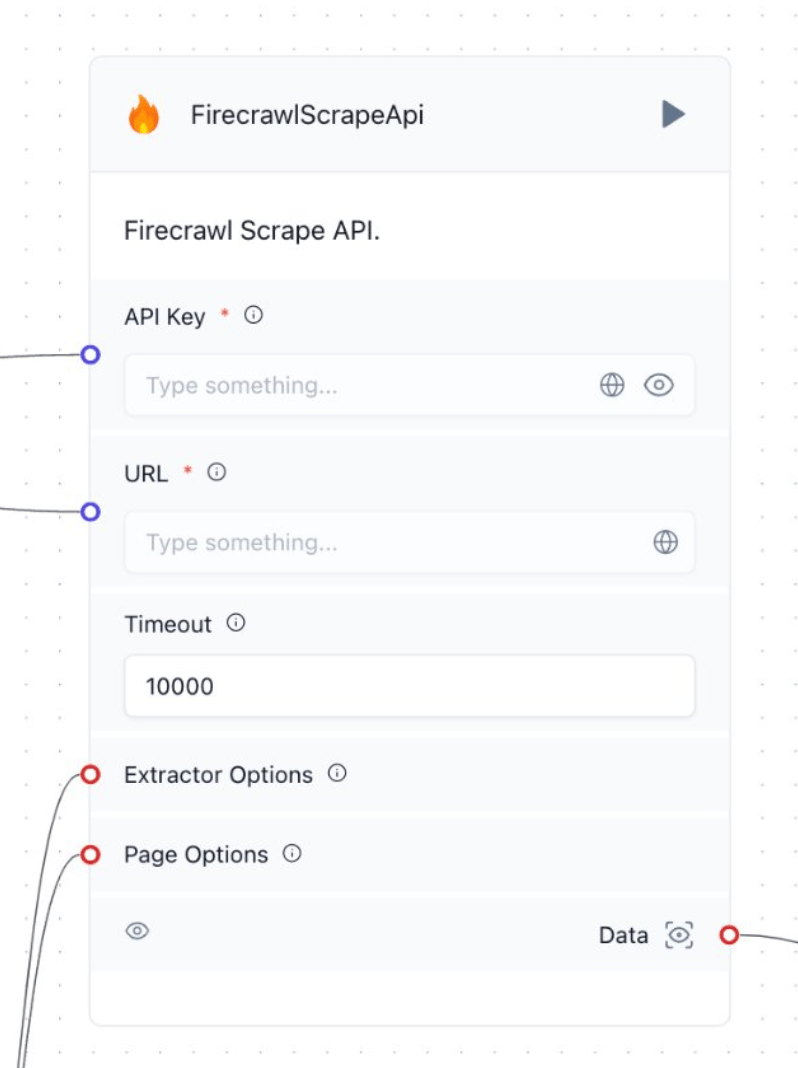
### 使用 Firecrawl 块进行抓取
1. 登录你的 Firecrawl 账户获取 API Key,然后在块中填写,或从工作流的其他环节传入。
2. (可选)连接 Text Splitter。
3. 选择抓取模式以采集单个页面。
4. 输入要抓取的目标 URL,或从工作流的其他环节传入。
5. 根据目标网站和所需数据设置页面选项与提取器选项。你也可以从工作流的其他环节传入这些选项。
6. 在你的工作流中使用这些数据。